
Custom Printed Receipt Paper Rolls: What to Check Before Ordering

CUSTOM RECEIPT PAPER GUIDE

What to Check Before Ordering Custom Printed Receipt Paper Rolls

Custom printed receipt paper rolls are more than basic POS paper. For retail stores, restaurants, cafés, supermarkets, service counters, and chain businesses, a printed receipt roll can carry brand information, QR codes, return policies, promotional messages, customer service details, or website links directly on the receipt paper.

Compared with plain thermal receipt paper rolls, custom printed rolls require more details to be confirmed before production. The roll still needs to fit the printer, feed smoothly, print clearly, and work reliably during daily checkout use, while the pre-printed design must also match the paper width, roll direction, printing area, and customer-facing receipt layout.

This guide explains the key points to review before ordering custom printed receipt paper rolls, including roll size, artwork preparation, paper grade, printing position, ink color, packing details, and the information buyers should prepare before requesting a quote.

Why Businesses Use Custom Printed Receipt Paper Rolls

Receipt paper is handled by customers every day, so it can become a simple but useful brand communication tool. With custom printing, businesses can add practical information, promotional messages, QR codes, and consistent brand details directly to the receipt roll.

Brand Visibility

A printed receipt roll can carry a store logo, website, slogan, or customer service information, helping the receipt look more consistent with the brand during daily checkout use.

Promotions and QR Codes

Businesses can print QR codes, discount messages, membership information, review links, or seasonal offers on the receipt paper to guide customers to online actions after purchase.

Store Information Consistency

For retail chains, restaurants, cafés, and supermarkets, custom printed receipt rolls help keep return policies, contact details, and customer messages consistent across different stores.

ROLL SPECIFICATION

Confirm the Receipt Roll Size First

Before discussing artwork or printing colors, the receipt paper roll size should be confirmed first. Width, roll diameter, core size, paper length, and winding direction all affect whether the printed roll can fit and feed properly in the POS printer.
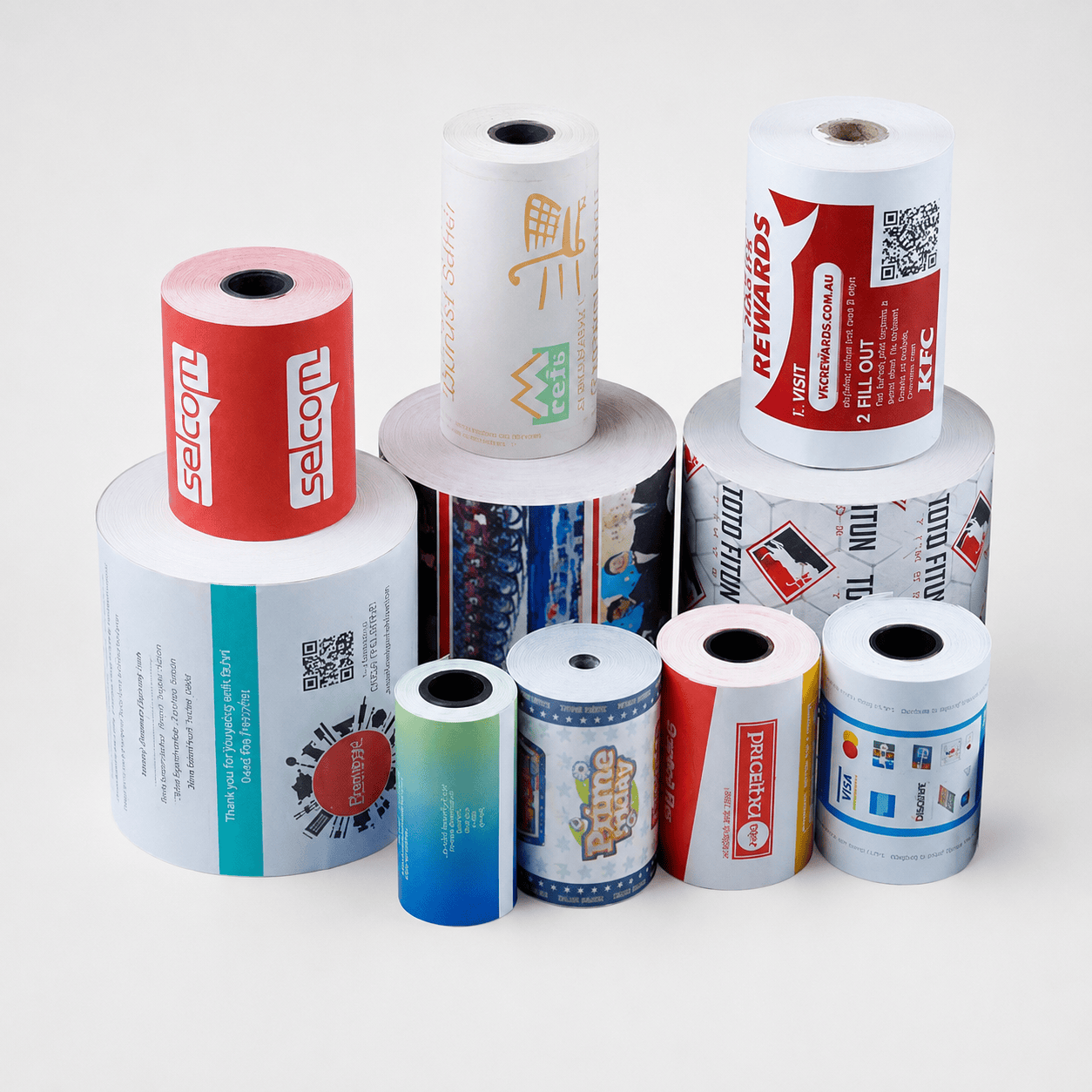
Custom printed receipt paper rolls in different sizes and diameters
Paper Width Common receipt paper widths include 57mm, 58mm, 76mm, and 80mm. The width should match the POS printer, cash register, payment terminal, kiosk, or restaurant ordering system.
Roll Diameter The roll diameter must fit inside the printer compartment. If the roll is too large, the printer cover may not close properly or the paper may not feed smoothly.
Core Size The core size affects how the roll sits inside the printer or paper holder. A wrong core size may cause loose winding, unstable feeding, or poor printer compatibility.
Roll Direction For custom printed receipt paper, the artwork direction should match the paper feeding direction so the printed logo, QR code, or promotion message appears correctly when the receipt is pulled out. View Thermal Receipt Paper Rolls

Decide Where the Custom Printing Should Appear

Custom printed receipt paper can be designed in different ways depending on the business purpose. Some businesses print on the back side of the receipt paper, while others use repeating logos, side patterns, promotional messages, QR codes, website links, or return policy information.

Back-side printing is often used for coupons, customer feedback messages, advertisements, membership programs, return and exchange policies, and customer service details. A clear QR code can also guide customers to an online store, review page, loyalty program, or campaign landing page.

The printing position should be reviewed carefully before production. The design should not affect thermal printing performance, paper feeding, barcode readability, or the way the receipt appears when it is pulled from the POS printer.
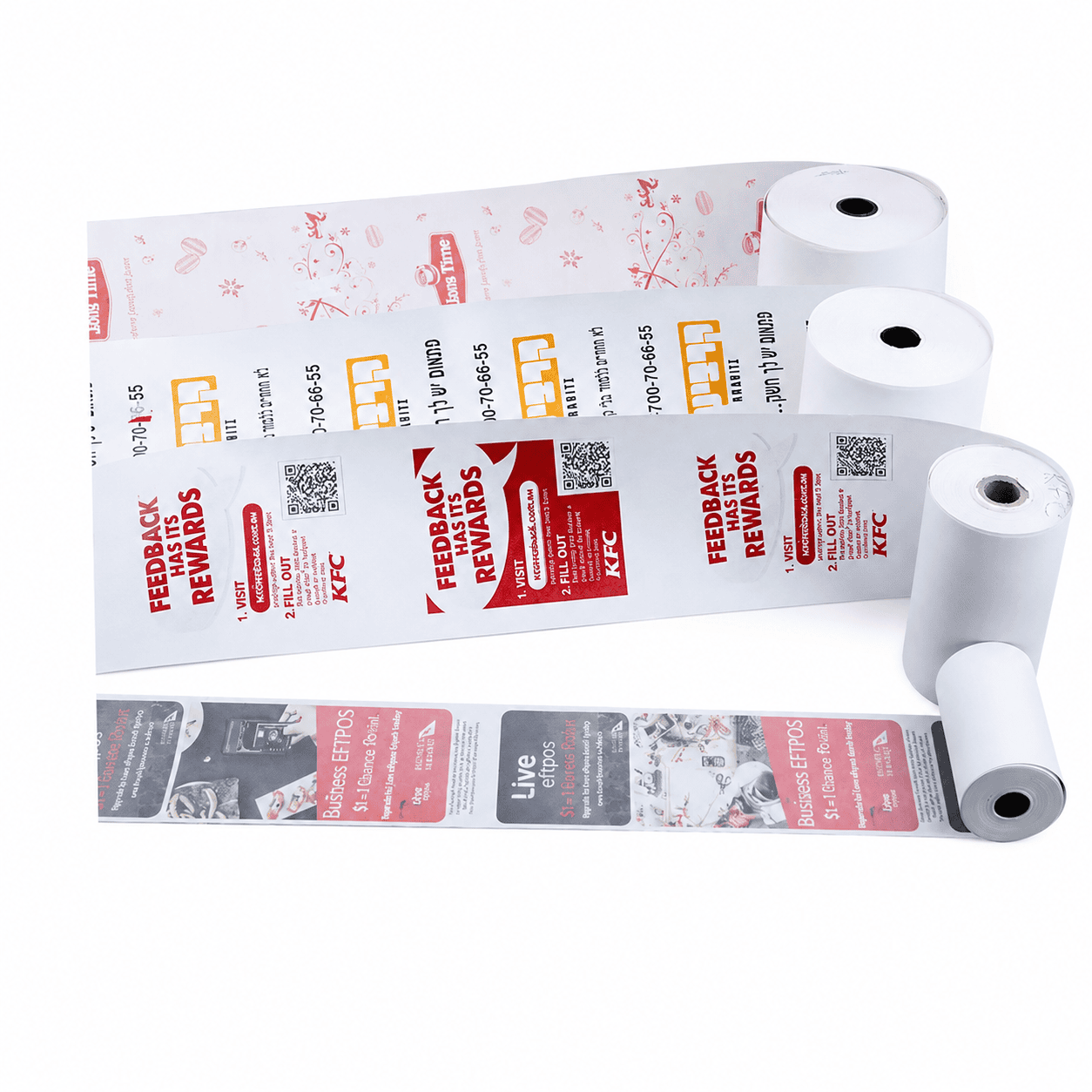
Custom printed receipt paper rolls with promotional back printing and QR codes
Printing position should match the receipt roll direction, POS printer feeding path, and customer-facing receipt layout.

Artwork Details to Prepare Before Production

Custom printed receipt paper rolls need clear artwork and production details before printing. Preparing the right files and specifications helps avoid incorrect print direction, unclear QR codes, unreadable text, or artwork that does not match the final receipt roll size.

Logo and Brand Files

Prepare clear logo files, preferably in vector format, so the printed logo remains sharp on narrow receipt paper widths.

QR Code or Website

If the receipt roll includes a QR code, the code should be tested before printing to make sure it scans correctly at the final size.

Message Length

Keep coupon text, return policy, customer service details, or promotion messages short enough to remain readable on small receipt paper.

Repeat Distance

Confirm how often the logo, QR code, coupon, or promotion message should repeat along the receipt paper roll.

Ink Color

Most custom printed receipt rolls use one-color or two-color printing for clear appearance, stable production, and practical cost control.

Print Direction

The artwork direction should match how the paper feeds from the POS printer, so the printed design appears correctly when the receipt is pulled out.

Choose Suitable Thermal Paper Quality

For custom printed receipt paper rolls, paper quality still matters. The thermal coating should produce clear transaction text, readable payment details, and stable printing under normal checkout conditions. A smooth paper surface also helps the roll feed properly through POS printers and reduces paper dust inside the printer path.

Businesses with high daily printing volume should pay attention to paper smoothness, roll tension, cutting quality, coating stability, and image clarity. A cheaper receipt roll may look similar at first, but poor coating or uneven winding can cause light printing, paper jams, frequent roll replacement, or unclear receipts during busy checkout hours.

Storage conditions should also be considered. Thermal paper should be kept away from high heat, direct sunlight, moisture, and chemical contact. If the receipt needs to remain readable for return records, warranty information, customer service support, or accounting use, the paper grade should be selected with that requirement in mind.

Keep the Design Practical for Daily Checkout Use

A good custom receipt design should look branded without making the receipt difficult to read. The printed area should not compete with the transaction information printed by the POS system, especially when the receipt includes item names, prices, tax details, payment information, QR codes, barcodes, or return codes.

Simple layouts usually work better than complex artwork. A clear logo, short message, clean spacing, and readable QR code can make the receipt look professional while keeping production more stable. For retail chains, restaurants, cafés, and supermarkets, this balance helps the receipt support branding without slowing down checkout operations.

If the printed receipt roll will be used across several store locations, the design should also avoid information that changes too often. General brand information, website links, customer service details, and evergreen membership messages are often easier to manage than short-term promotion text.

Custom Printed Receipt Paper Rolls FAQs

Here are some common questions about custom printed receipt paper rolls, including printing options, roll specifications, QR codes, artwork preparation, and suitable applications for retail, restaurant, supermarket, café, and service counter use.

Yes. Thermal receipt paper rolls can be custom printed with logos, QR codes, websites, return policies, promotional messages, customer service details, and other brand information.

It is best to provide the paper width, roll diameter, core size, printer model, paper grade, artwork file, printing color, repeat distance, order quantity, and packing requirements.

Yes. QR codes can be printed on receipt paper rolls, but the final size and printing clarity should be tested to make sure customers can scan the code easily.

Yes. Custom printed receipt paper is commonly used by restaurants, cafés, retail stores, supermarkets, service counters, and chain businesses that want branded daily receipts.

It depends on the receipt design and printer use. Back-side printing is often used for coupons, QR codes, return policies, and promotions, while the thermal printing side should remain suitable for clear POS transaction printing.

CUSTOM PRINTED RECEIPT PAPER

Need Custom Printed Receipt Paper Rolls for Your Business?

PaperMyna helps retail stores, restaurants, cafés, supermarkets, kiosks, service counters, and chain businesses customize printed receipt paper rolls for daily POS checkout use. Share your paper width, roll diameter, core size, printer model, printing side, artwork file, ink color, repeat distance, order quantity, and packing method, and our team can help recommend a practical receipt paper roll solution.

Request a Quote View Receipt Paper

What to Prepare

Paper width Roll diameter Core size Printer model Printing side Artwork file Ink color Repeat distance Order quantity