
RETAIL CHECKOUT BASICS
Why Thermal Receipt Paper Still Matters in Retail Checkout
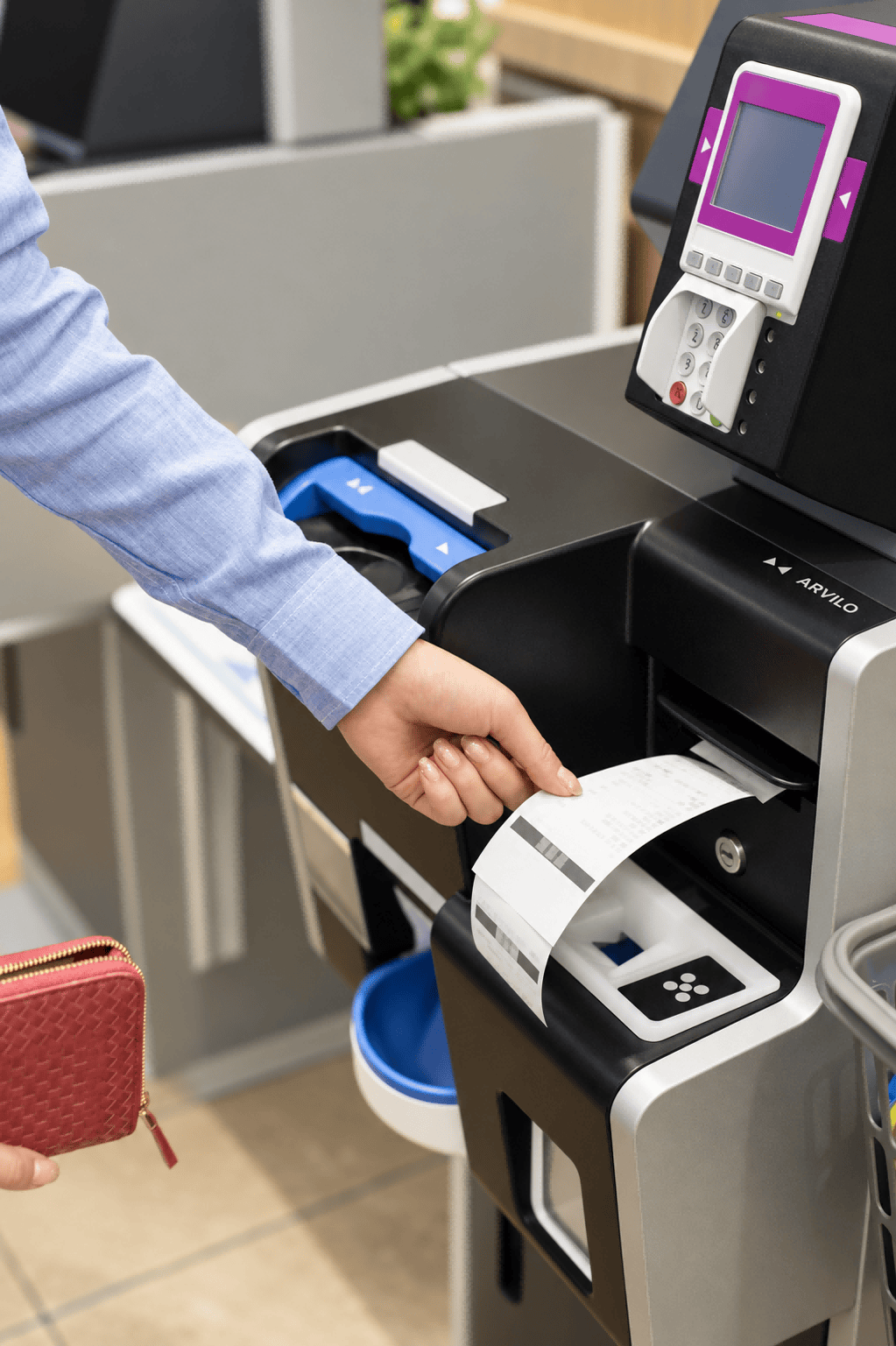
At a retail checkout, the receipt is the final printed record of a sale. It needs to come out quickly, remain easy to read and match the transaction shown on the POS screen. This is why thermal receipt paper remains widely used in supermarkets, convenience stores, cafés and independent retail shops.
Unlike conventional paper, direct thermal receipt paper does not require an ink ribbon or toner cartridge. Heat from the printer head creates the image directly on the coated surface, helping keep POS equipment compact and easier to operate during busy checkout periods.
The paper roll still needs to match the printer and the store’s daily workflow. Roll width, diameter, core size, coating quality and storage conditions can all affect paper feeding, print clarity and the useful life of the receipt. This guide explains how thermal receipt paper is used in retail checkout and what buyers should review before choosing POS receipt rolls.

HOW POS RECEIPT PAPER WORKS
How Thermal Receipt Paper Works Inside a POS Printer
Thermal receipt paper works together with the printer’s thermal printhead. As the roll passes through the printer, selected areas of the coated surface react to heat and form the text, numbers and simple graphics shown on the receipt. No ink ribbon or toner is needed, which helps keep the checkout process quick and relatively easy to maintain.
In busy retail environments, the paper needs to move smoothly through the printer without curling, tearing or leaving excessive dust on the printhead. A consistent coating also helps produce clear transaction details, item lines and barcodes across the full length of the roll.
For this reason, selecting thermal receipt paper rolls is not only about choosing a paper size. The roll width, outer diameter, core size, winding direction and coating performance should all match the POS printer and the store’s daily printing volume.
- Stable feeding: Smooth edges and even winding help the paper move through the printer consistently.
- Clear printing: A balanced thermal coating supports readable text, numbers and barcode details.
- Reliable handling: Suitable roll dimensions reduce jams and unnecessary roll changes during checkout.
CHOOSING THE RIGHT ROLL
How to Choose the Right Thermal Receipt Paper Roll Size
The correct roll size should match the POS printer, the available paper compartment and the store’s daily checkout volume. Check these four points before ordering thermal receipt paper rolls.
PRINTER FIT
Paper Width
Match the roll width to the printer guide so the paper feeds evenly without rubbing against the sides or shifting during printing.
ROLL CAPACITY
Roll Diameter
Choose a diameter that fits inside the printer and provides enough paper for the expected checkout volume without preventing the cover from closing.
SECURE FEEDING
Core Size
Make sure the inner core fits securely on the printer spindle and does not move or wobble while the thermal paper is being printed.
DAILY WORKFLOW
Paper Length
Longer rolls can reduce replacement frequency during busy periods, provided the roll still fits the equipment and stores easily.
THERMAL PAPER HANDLING
How Storage and Paper Quality Affect Receipt Clarity
Clear receipt printing depends on more than the POS printer itself. Thermal coating quality, storage conditions and daily handling all influence how consistently transaction details appear at checkout.
Keep the Paper Protected from Heat and Moisture
Thermal receipt paper should be stored in a clean, dry area away from direct sunlight, excessive heat, moisture and strong chemicals. These conditions can affect the coated surface before the roll is loaded into the printer.
Retail teams should also keep rolls in their original packaging until they are needed and use older stock first. This simple approach helps maintain consistent print quality and reduces unnecessary paper waste during daily checkout operations.
BEFORE YOU ORDER
What to Confirm Before Ordering Thermal Receipt Paper
A short specification check helps retailers avoid incorrect roll sizes, feeding problems and unnecessary replacement costs. Review these four points before placing an order.
POS Printer Model
Confirm the printer model and its recommended paper specifications before selecting a thermal receipt paper roll.
Roll Dimensions
Check the paper width, maximum roll diameter and core size so the roll fits correctly and feeds smoothly.
Print Requirements
Review text clarity, barcode readability and coating performance for the store’s normal checkout workload.
Quantity and Packing
Confirm the roll quantity, carton packing and delivery requirements to keep paper stock organized.
FAQ
Thermal Receipt Paper for Retail Checkout: Frequently Asked Questions
Choosing the right thermal receipt paper helps retailers maintain clear printing, smooth paper feeding and reliable checkout operations. The answers below cover common questions about POS roll size, printing, storage and ordering requirements.
Thermal receipt paper is used to print transaction records from POS printers at supermarkets, convenience stores, cafés and other retail counters. Direct thermal printing uses heat from the printhead to create text and graphics without an ink ribbon or toner cartridge.
Check the printer’s recommended paper width, maximum roll diameter and core size. The winding direction and available space inside the paper compartment should also be confirmed before ordering.
No. Direct thermal receipt paper reacts to heat from the printer’s thermal printhead, so it does not require an ink ribbon, toner cartridge or separate printing cartridge.
Store the rolls in a cool, dry and clean area away from direct sunlight, excessive heat, moisture and strong chemicals. Keeping the rolls in their original packaging until needed helps protect the coated printing surface.
Retailers should confirm the POS printer model, roll width, diameter, core size, coating quality, expected printing volume, roll quantity and carton packing. These details help reduce feeding problems and unnecessary roll changes during checkout.
DISCUSS YOUR THERMAL PAPER REQUIREMENTS
Need Reliable Thermal Receipt Paper for Retail Checkout?
Share your POS printer model, paper width, roll diameter, core size, coating requirements, estimated usage, order quantity, packing preference and delivery destination. PaperMyna can help review the specification and recommend thermal receipt paper rolls for supermarkets, convenience stores, cafés and other retail checkout environments.