
KITCHEN PRINTER PAPER
Check the Printer Before Reordering the Roll
Two white paper rolls on a restaurant shelf can look almost identical. One belongs in the thermal receipt printer at the counter; the other belongs in the impact printer sending orders to the kitchen. Matching the width alone can still leave you with the wrong paper.
Start with the printer model and printing method. Then confirm whether the job needs a single ticket or a duplicate copy, check the roll dimensions and run a sample through the actual order workflow. Those details give a supplier a much clearer brief than “paper for the kitchen printer”.
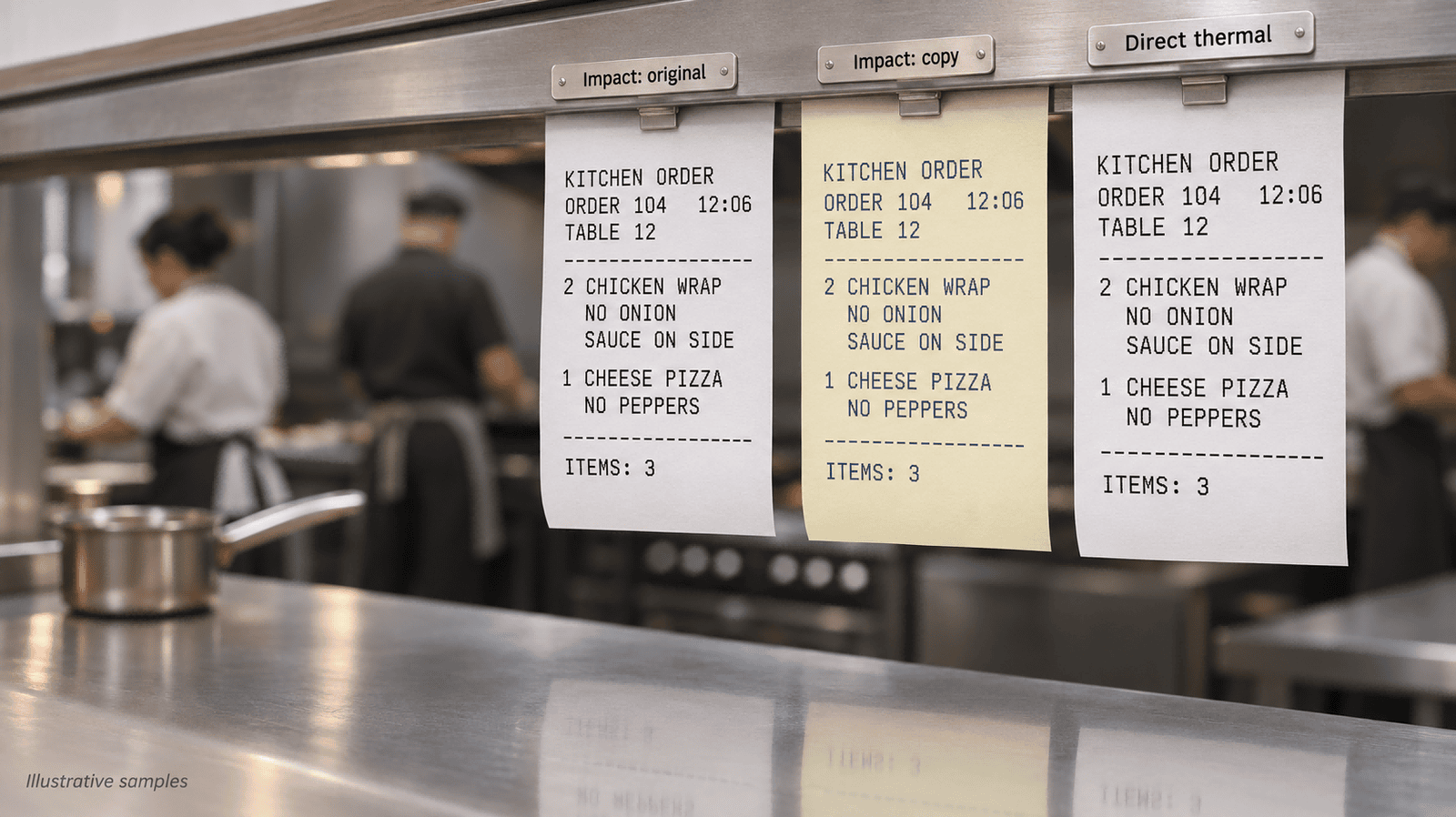
PRINTING METHOD FIRST
Thermal, Single-Ply Bond or Carbonless Paper?
Read the model label and check the manufacturer's paper specification. An ink ribbon is a useful clue that you are looking at an impact printer. The model documentation should settle the choice.
| Paper type | Printing method | What to confirm |
|---|---|---|
| Direct thermal paper | A thermal printhead activates the paper's coating; no ink ribbon is used. | Approved paper grade, coated-side orientation and roll dimensions. |
| Single-ply bond paper | An impact printhead transfers ink from a ribbon onto one sheet. | Paper thickness, roll fit and the correct ribbon. |
| Multi-ply carbonless paper | A compatible impact printer produces an original and a copy or copies through the paper set. | Supported ply count, individual and total thickness, and copy readability. |
“Receipt paper” and “kitchen paper” describe a use, but leave the material unclear. State the paper type explicitly on the purchase order.
COPIES AND RIBBON COLORS
Check the Copies and the Ribbon Separately
A duplicate ticket and a red preparation note serve different purposes. Confirm whether the kitchen needs another physical copy, colored instructions or both before specifying the paper and ribbon.
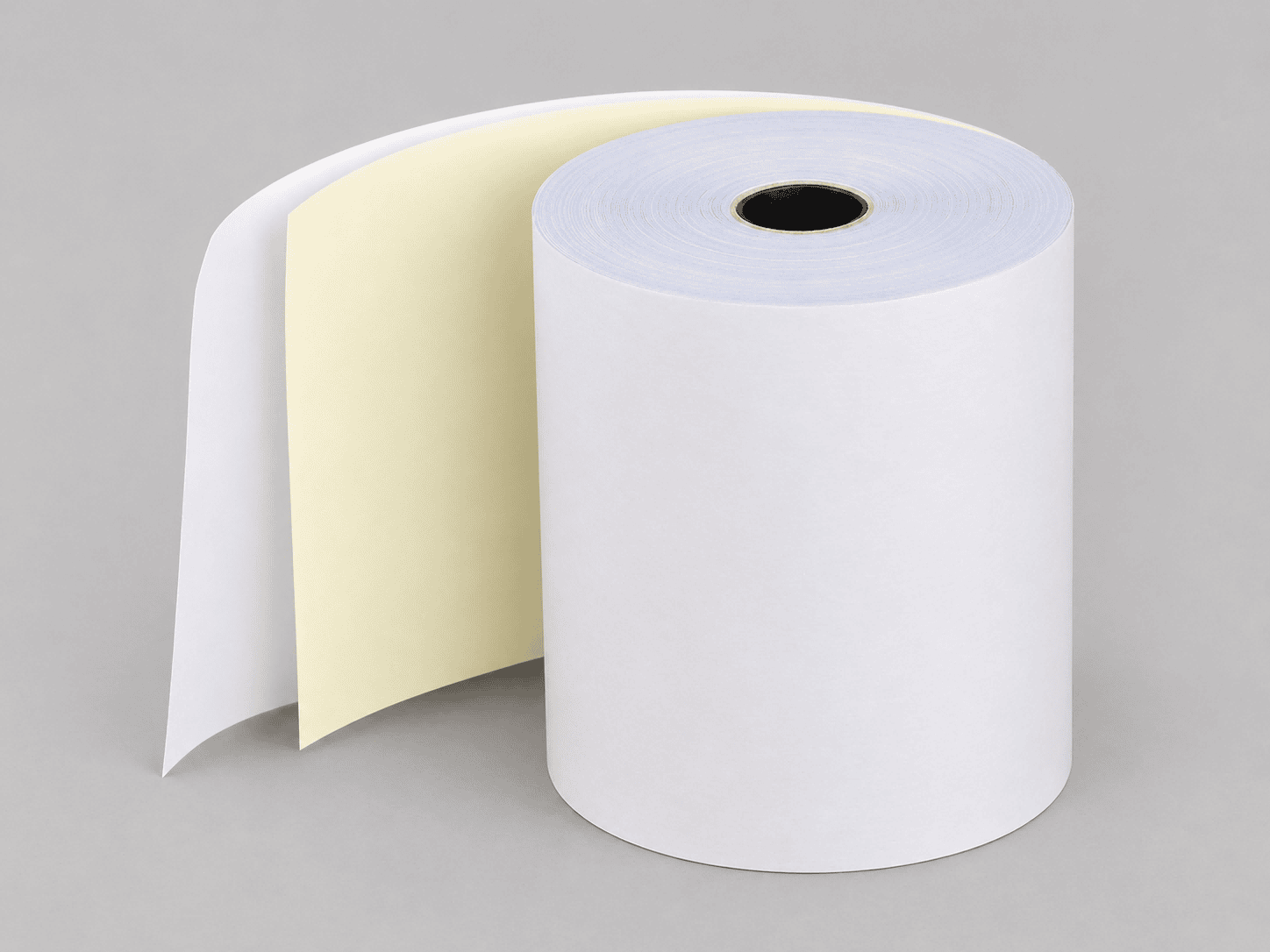
One Original and One Copy
A two-ply carbonless roll provides an original and one duplicate when used in a compatible impact printer. Confirm where each sheet goes and whether the machine presents both together or retains one on a take-up spool.
The lower sheet develops its image through pressure on the carbonless coatings. Separate the sheets during the trial and check that quantities, order numbers and preparation notes are readable on the copy.
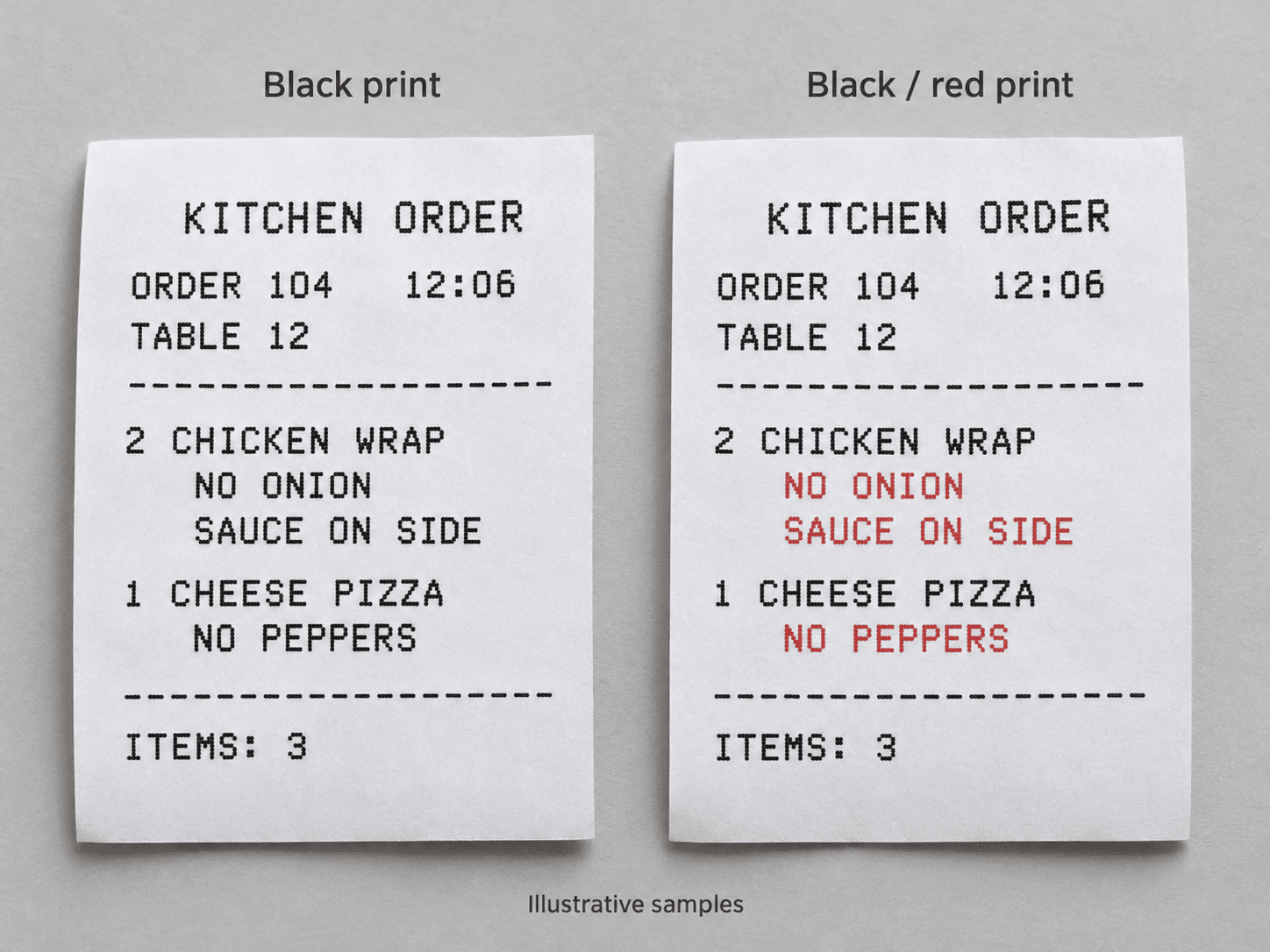
Black and Red Order Notes
A compatible impact printer can print black and red text using the correct two-color ribbon and supported POS commands. Red can highlight preparation notes such as “no onion” while the order details remain black.
The ribbon controls the original's ink color. The carbonless copy's image color depends on its paper chemistry, so do not assume that the lower sheet will reproduce both ink colors.
If two stations simply need the same order, check whether the POS can send it to separate printers. That is a different workflow from producing two sheets from one carbonless roll.
KITCHEN CONDITIONS
Follow the Ticket From the Printer to the Pass
Check where the printer sits and where the ticket goes after printing. A machine kept away from direct heat can still produce tickets that staff hang beside a hot service area. Assess both positions when choosing the paper.
Impact printing is commonly used for hot kitchen stations because it does not depend on a heat-sensitive image-forming coating. Thermal kitchen printers are also available for suitable stations, including cleaner, climate-controlled preparation areas. Use the equipment maker's operating limits for the specific installation.
During a trial, leave sample orders where staff normally keep them for the usual preparation period. Check that quantities and preparation notes remain readable and that the sheets are easy to separate and handle. If resistance to water or grease is required, specify the exposure and request supporting performance information for the proposed paper grade.
For unused thermal rolls and printed receipt handling, see our thermal paper storage guide .
ROLL SPECIFICATIONS
Record Width, Diameter, Core and Length Separately
Check the printer manual alongside the current roll label. Confirm the fitting dimensions, paper construction and running length before approving a replacement.
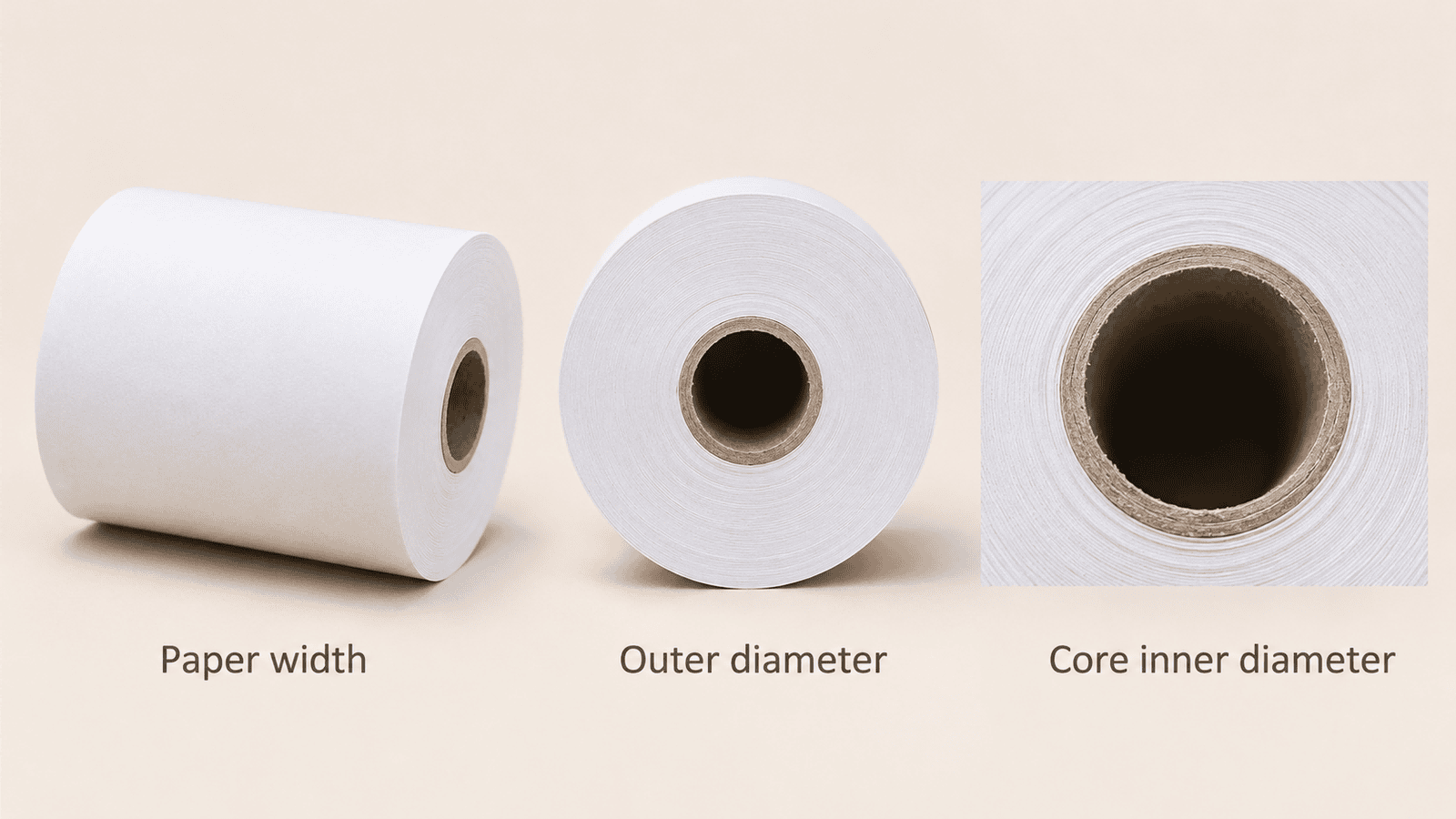
Three Dimensions to Confirm
Check these against the exact printer model and its installed paper-guide configuration.
Paper construction and running length: include the paper grade, permitted sheet and total thickness, ply count, metres per roll and length tolerance. For example, a 30-metre two-ply roll supplies 30 metres of paired original-and-copy paper.
For the relationship between paper thickness, core size and supplied metres, see our paper roll length guide .
COMMON QUESTIONS
Kitchen Printer Paper: Frequently Asked Questions
Paper type, duplicate copies and ribbon color are separate choices. The answers below explain what to confirm with the printer specification and a sample roll before ordering.
It depends on the printing method. Direct thermal models need compatible thermal paper. Impact models use an ink ribbon with approved single-ply bond paper or a supported carbonless roll. Check the exact printer model and its paper requirements before ordering.
No. A direct thermal receipt printer needs compatible thermal-coated paper to form the image. Ordinary bond paper will not produce the intended print, even if its width and roll diameter fit the printer.
No. The supported number of plies and the permitted paper thickness depend on the model. Check the limits for each sheet and the complete paper set, along with the loading and copy-handling arrangement. Test the proposed roll before approving the order.
For compatible impact printers, the colors come from a black-and-red ink ribbon. The printer must support the matching ribbon, and the POS software must send the appropriate color commands. Use the paper grade specified for that model.
Load it according to the manual, run the printer's self-test, then print a representative order through the POS. Check text, feeding, cutting or tearing, and any supported red notes. Separate and read every carbonless sheet. For impact printers, use a known-good ribbon. Check tickets in their usual working position and keep the accepted sample with the printer model and settings.
Provide the printer brand and exact model, paper type, roll width, outside diameter, core requirements, length per roll and quantity. For carbonless paper, add the ply count and sheet-color sequence. Include packing requirements, delivery destination and photos of the current roll label or sample where available.
DISCUSS YOUR KITCHEN PAPER REQUIREMENTS
Need Paper Rolls for Your Kitchen Printers?
Share your printer model and current roll specification, including the paper type, roll dimensions, core requirements, length per roll and any duplicate-copy requirements. Add the quantity, packing requirements and delivery destination. PaperMyna can review the details, prepare a quotation and discuss sample rolls to test in your printers before production.