
Should You Order Custom Printed Labels on Rolls or Sheets?

LABEL FORMAT SELECTION

Start with How the Labels Will Be Applied

If your applicator takes labels from a roll, order rolls that meet the machine’s specifications, even for a short run. If your team applies labels by hand, sheets can make it easier to keep different designs sorted or put one of each into a kit.

Rolls can work well by hand, too, especially when your team uses the same design throughout a batch. When you ask for a quote, tell your printer how the labels will be applied and how you want the designs grouped.
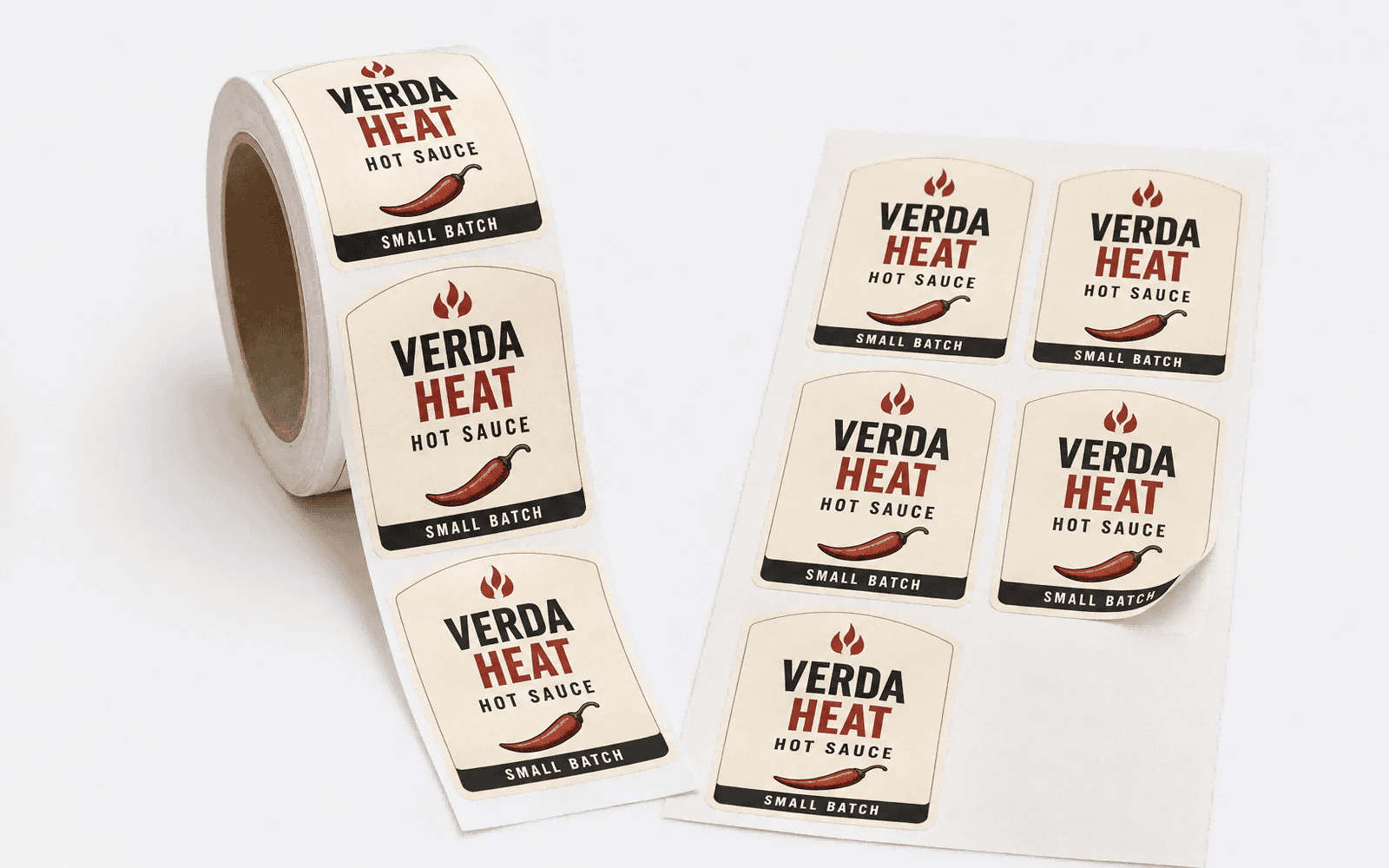
The same hot sauce label design printed on a roll and on a flat sheet
The same printed label design in roll and sheet formats.

HAND AND MACHINE APPLICATION

Where Roll Labels and Sheet Labels Fit

Rolls for Applicators and Repeated Labeling

Use rolls when your applicator or bench dispenser feeds labels from a continuous liner. A roll can also work well at a manual station that applies the same design throughout a run. If you use a dispenser, check that a full roll fits the holder and confirm the required label roll direction before ordering.

Sheets for Sorting and Hand Application

Sheets are handy when operators lay out labels on a bench or keep a separate stack for each product. If you’re packing kits, you can ask for one of each design on the same sheet so the team can pick up a complete set at once.

A short run can still need rolls if it goes through an applicator. When you request a quote, tell your printer how the labels will be applied and how you want the different designs grouped.

ROLL LABEL ORDER SPECIFICATIONS

Send the Roll Drawing with Your Artwork
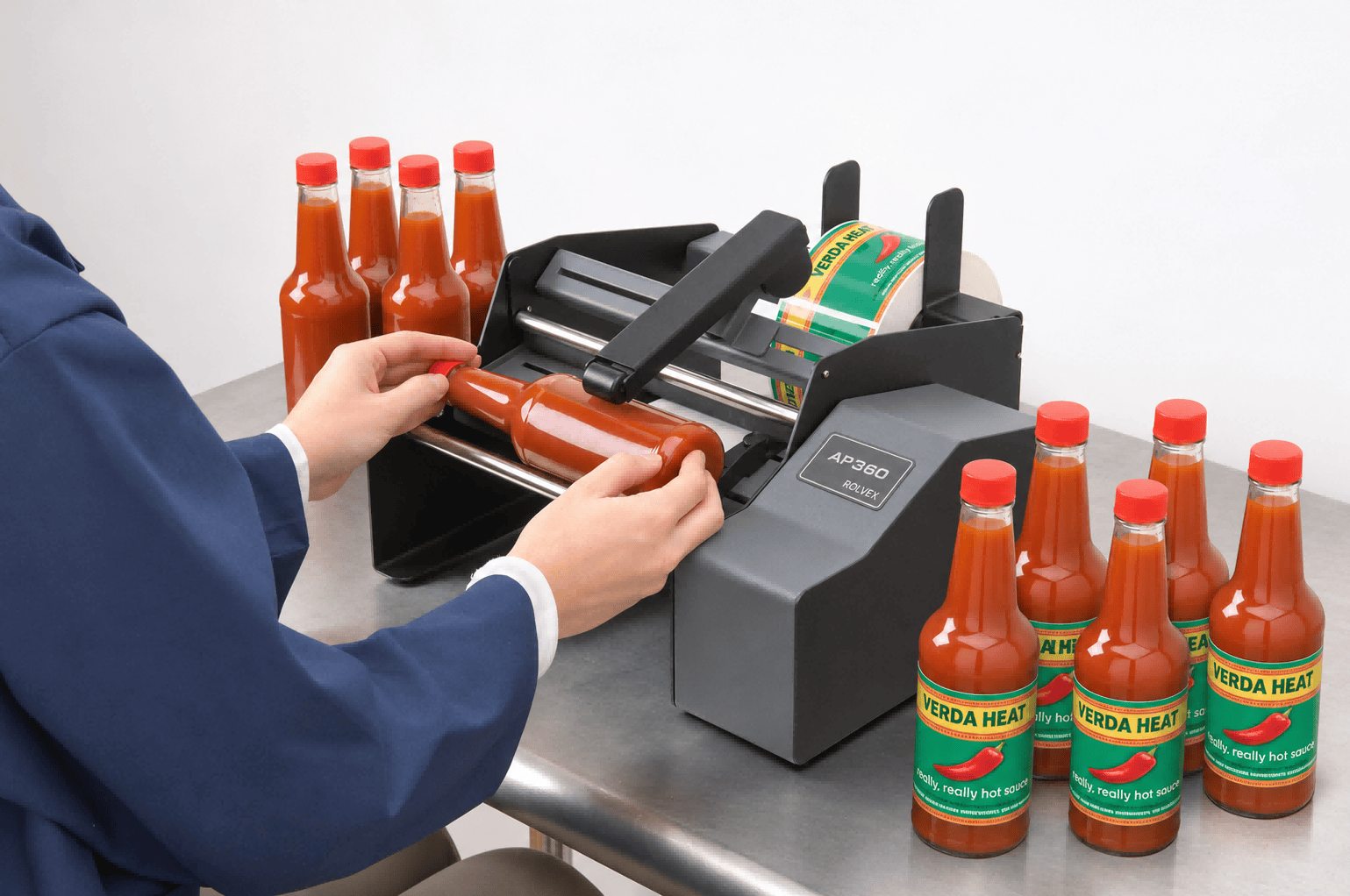
Operator positioning a hot sauce bottle on a tabletop applicator with a roll of printed labels
The operator places each bottle by hand, and the applicator feeds the labels from a roll.

Send the applicator model and an approved roll drawing with your artwork. If you don’t have a drawing, send a sample roll that already runs well on the machine.

Core Size and Roll Diameter

Give the core inside diameter and the maximum outside diameter of a full roll. Include any roll weight limit specified for the applicator.

Unwind Direction and Leading Edge

Show whether the printed face is wound in or out. Mark which edge of the finished label comes off the roll first so the artwork lands in the right orientation on the bottle.

Liner Width, Label Gap and Roll Count

Give the finished label size, liner width and gap between labels. If you need a fixed count per roll, ask your printer to confirm that the count fits within the maximum roll diameter.

SHEET LABEL ORDER SPECIFICATIONS

Approve the Sheet Layout Before Printing
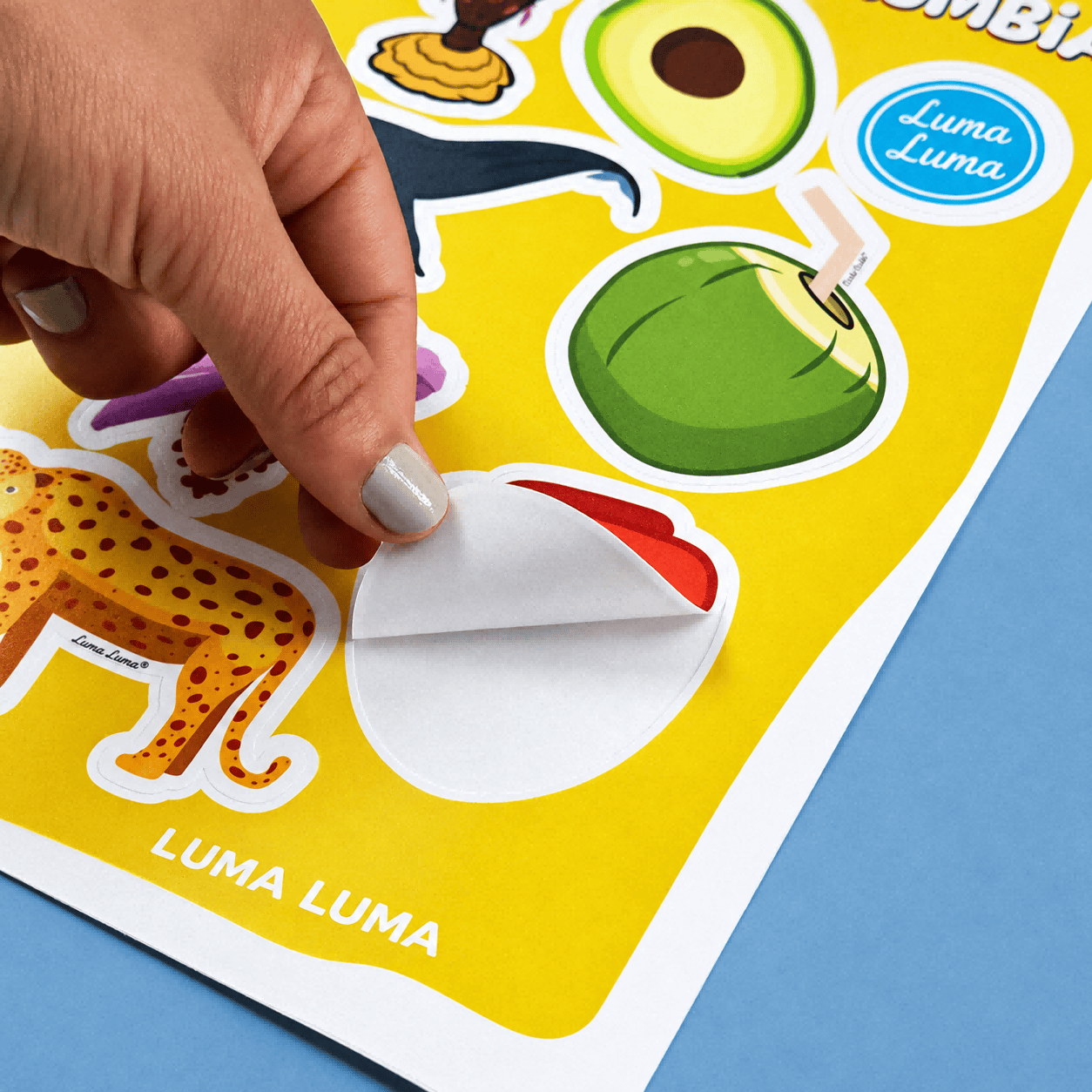
Hand peeling a printed sticker from a sheet with several designs
Each design can be peeled individually from the same backing sheet.

Set the Label Size and Count per Sheet

Give your printer the finished size of each label and how many labels you want on a sheet. If the sheet has to fit a kit, tray or envelope, include the overall sheet dimensions.

Keep Designs Separate or Group Them on One Sheet

If each kit needs one of six designs, put one of each on the same sheet. An order for 2,000 labels per design then gives you 2,000 complete sets. If each design goes to a different packing station, ask for separate stacks.

Confirm How the Labels Will Peel

For hand application, ask for labels cut to shape on a shared backing so each one can be peeled on its own. Check the layout proof for the sheet size and the count of each design before approving production.

FINISHED SAMPLE CHECKS

Check a Finished Sample Before Approving the Order
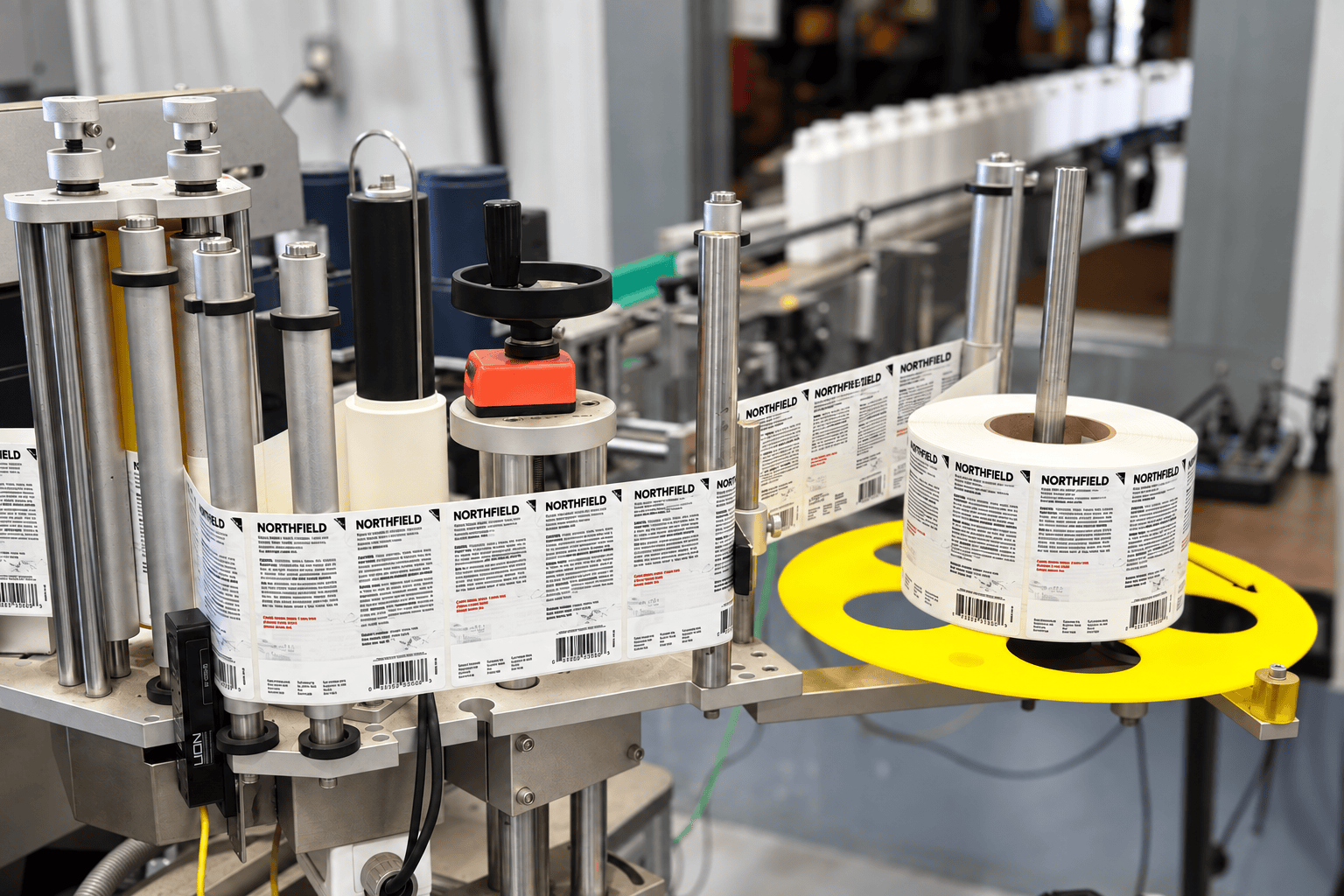
Printed roll labels threaded through the guide rollers of an automatic labeling machine

AUTOMATIC LABELING

Run the Sample Roll on the Production Line

Mount the sample roll on the automatic applicator you’ll use in production. Run several labels in a row. Watch how the liner tracks through the guide rollers, then check that each label releases cleanly and lands in the right position on the package.
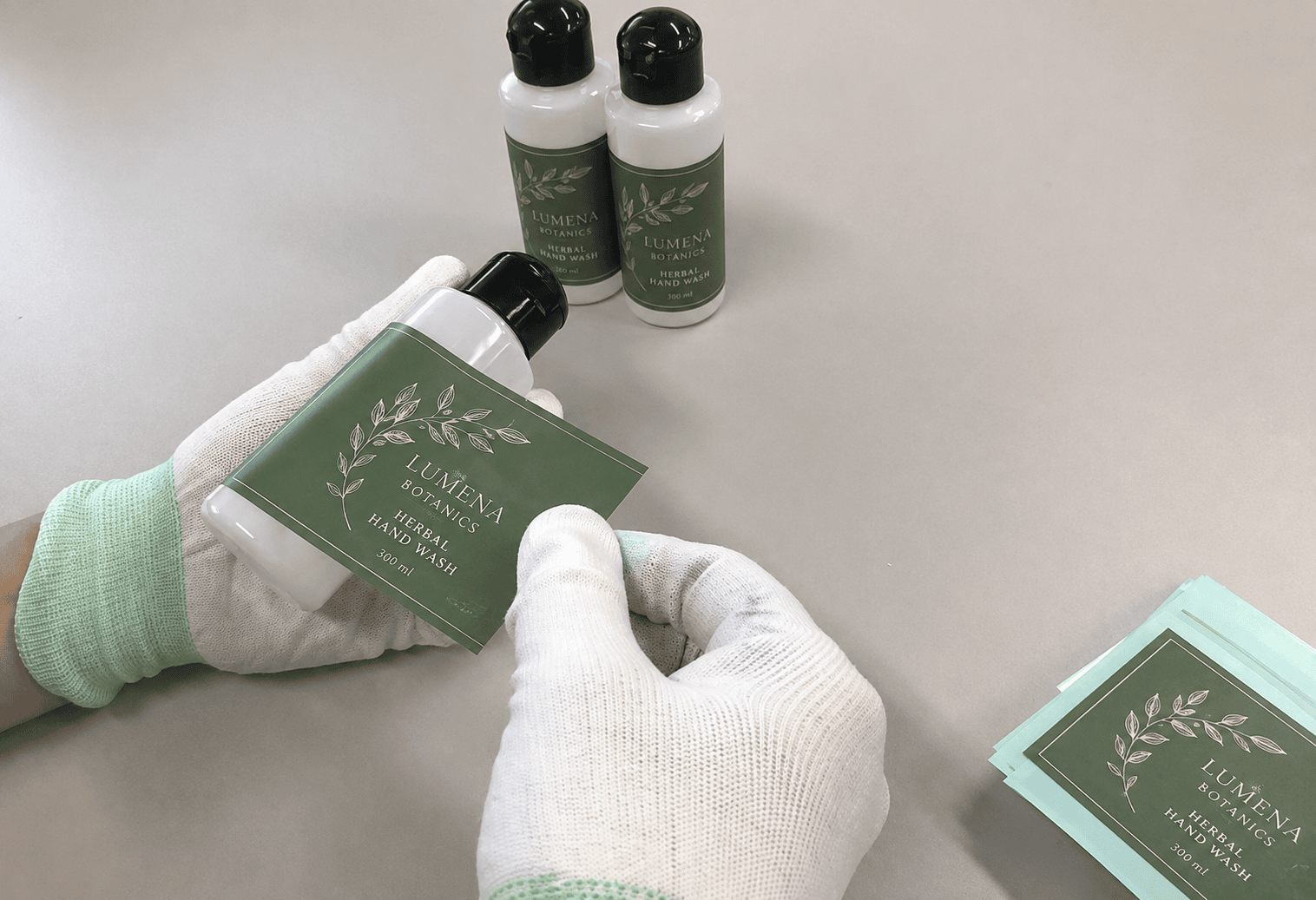
Gloved hands aligning a printed wraparound label by hand on a white bottle

HAND APPLICATION

Peel and Apply Sheet Labels by Hand

Peel a label from the middle of the sheet and another from an edge. Check that both lift cleanly and the backing stays intact. Count the labels against the approved layout, then apply one to the actual package and check its position and how the edges sit.

ORDERING QUESTIONS

Roll and Sheet Label FAQs

Yes. You can peel labels directly from the roll or use a tabletop dispenser. If you use a dispenser, check which roll sizes it accepts and which edge of the label you want to pick up first.

Sheet labels share one release liner, so you can peel them off one at a time. Individually cut stickers come as separate pieces, each with its own backing. Tell your printer which format you want when you request a quote.

A sheet with one of each design gives you equal quantities every time it’s printed. If you need three times as many of one design, ask your printer to check whether three copies of that design can fit on the same sheet, or whether a separate run would suit the order.

You can usually start with the same artwork. Give your printer the applicator model, core size, maximum roll diameter and required unwind direction. Approve the new roll drawing and run a finished sample before ordering the full quantity.

CUSTOM PRINTED LABELS

Need Custom Printed Labels on Rolls or Sheets?

Send us your artwork, finished label size and quantity per design. For rolls, include the applicator model and a roll drawing or a sample that already runs on your line. For sheets, tell us how many labels you want on each sheet and how the designs should be grouped. If you’re still deciding, tell us how your team applies the labels so we can review the options with you before quoting.

Request a Quote Explore Custom Printed Labels